Edit Profile
This guide explains how to Edit Profile in the Loft App.
Watch The Video Tutorial
Steps to Edit Profile
-
Open the Loft App
-
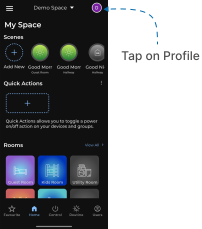
Access Profile Settings
- Tap on the Profile icon located at the top-right corner of the screen.
- The Account screen will open.
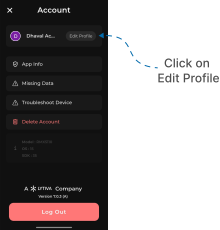
- Open Edit Profile
- Tap on Edit Profile, located next to your name at the top.
- Edit User Name
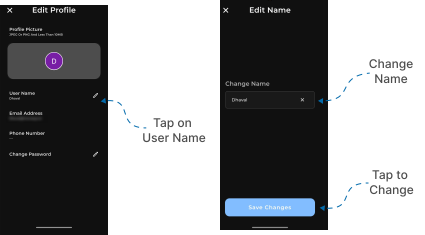
- In the Edit Profile screen, tap on User Name.
- The Edit Name screen will appear.
- Enter the new name you want to set in the input field.
- Tap on Save Changes to update your name successfully.